From the field to the office — see how electrical utilities use Speqtiv to document poles, transformers, and substations, then manage everything from a web dashboard.
The asset management dashboard gives utility managers a complete view of every pole, transformer, and substation in their system — with type, age, height, class, last inspection date, and next inspection year all visible at a glance.
Import from CSV to get your existing data in fast. Export any time for reporting, auditing, or integration with other systems. The dashboard is built for the way utility managers actually work — not the way software developers assume they work.
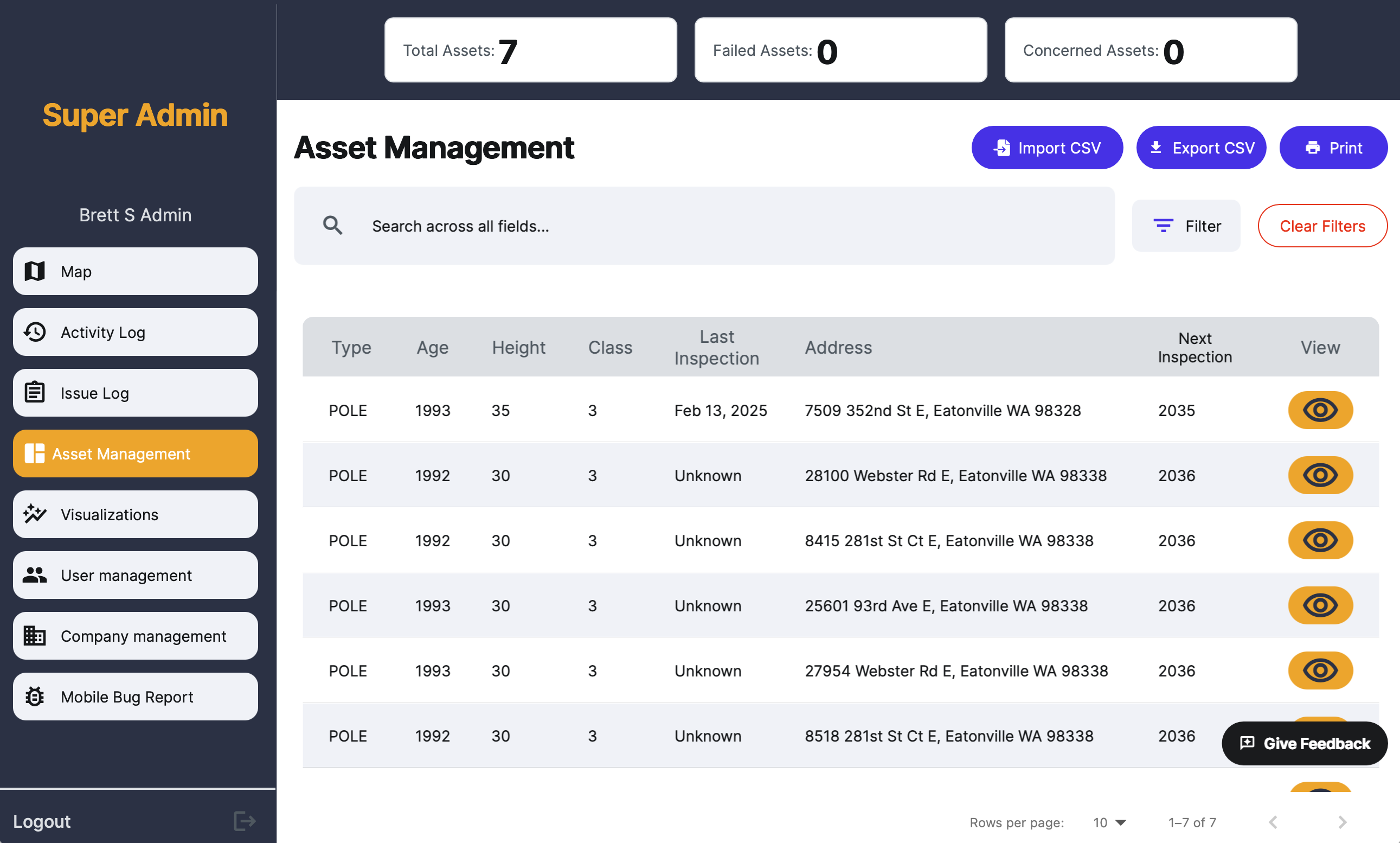
Asset Management — search and filter across all asset types and locations
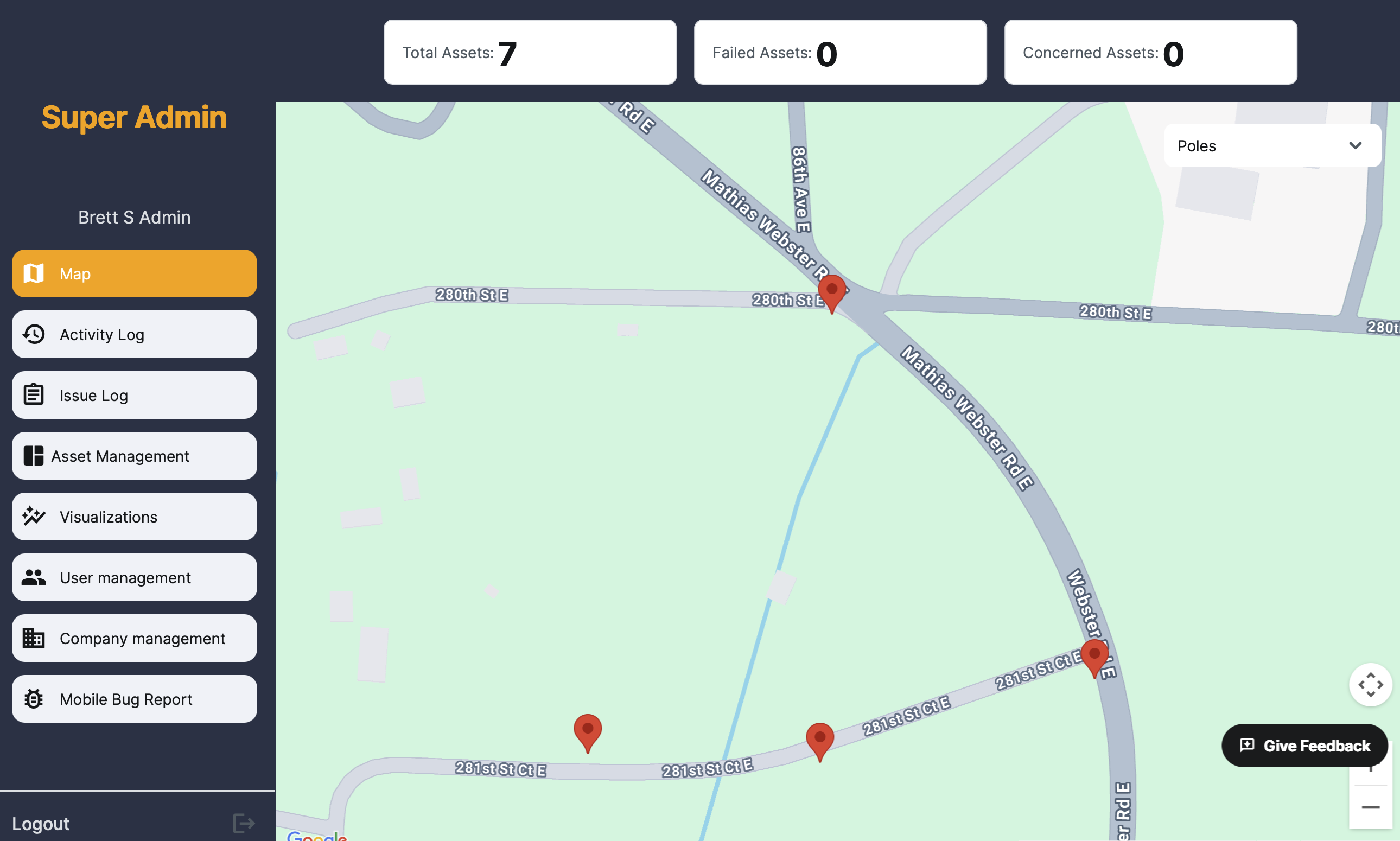
Every asset is plotted on a live GIS map with precise GPS coordinates. Filter by asset type, condition status, or inspection date. See exactly where your poles and transformers are — and which ones need attention.
Dispatch the nearest lineman, plan patrol routes, and understand your distribution network spatially. No more guessing from spreadsheet addresses.
GIS Map — all assets pinned by GPS with filterable asset type layers
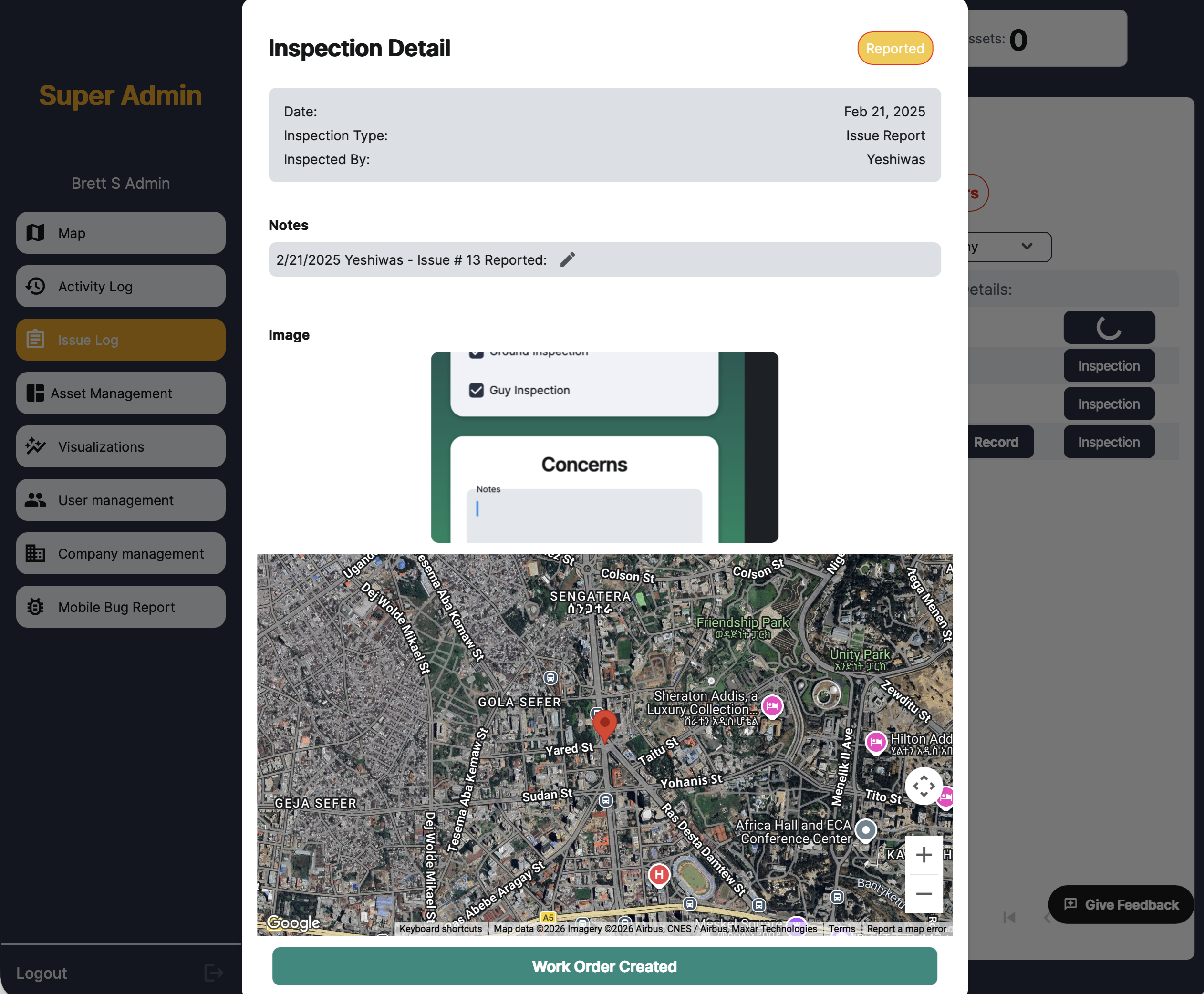
When a field crew identifies a problem, they log an issue with photos, notes, and GPS location directly in the app. That report becomes an inspection record in the dashboard — with the asset's location on the map and a one-click Work Order creation button.
No re-entry at the office. No lost paperwork. Every issue is tied to the specific asset, with a full audit trail from field observation to work order completion.
Inspection Detail — GPS-stamped issue reports with photo evidence and direct work order creation
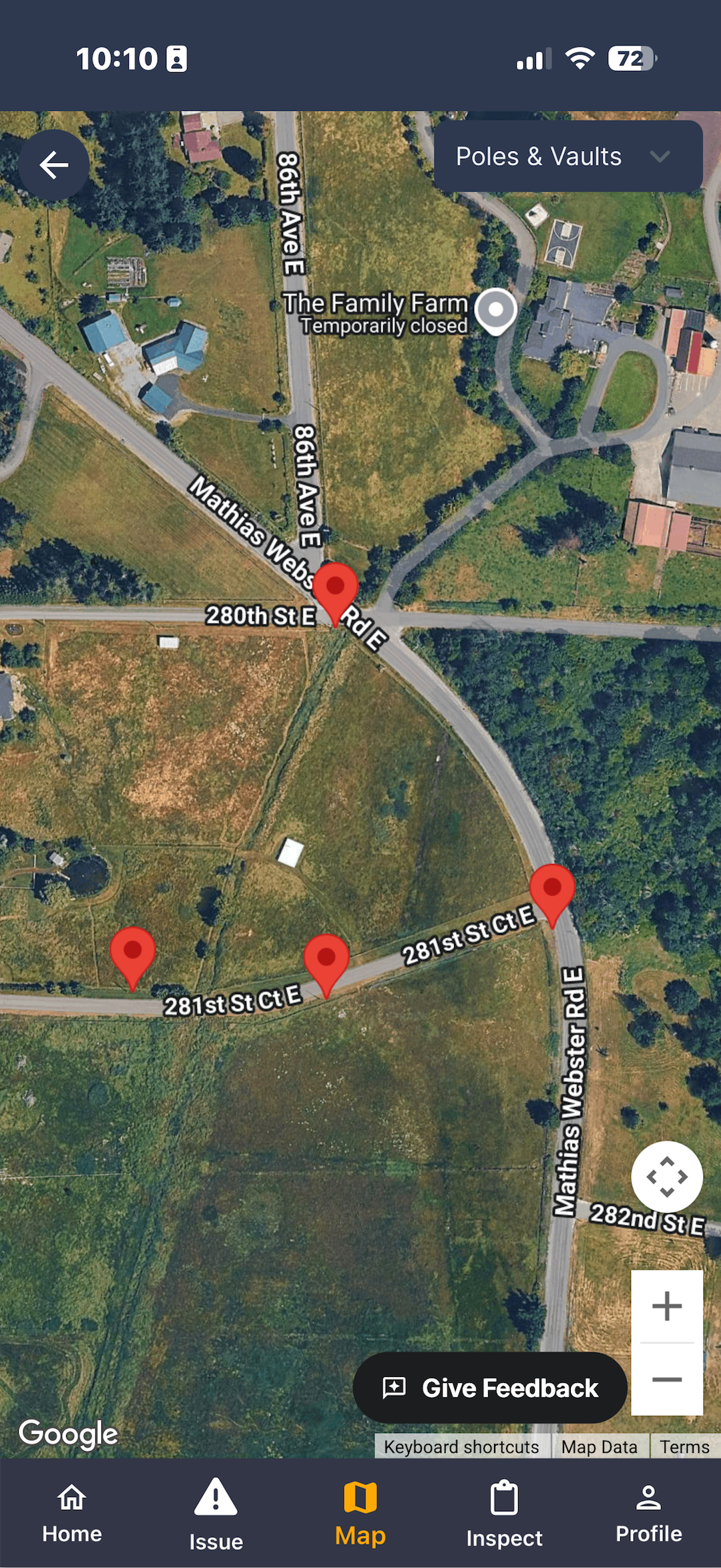
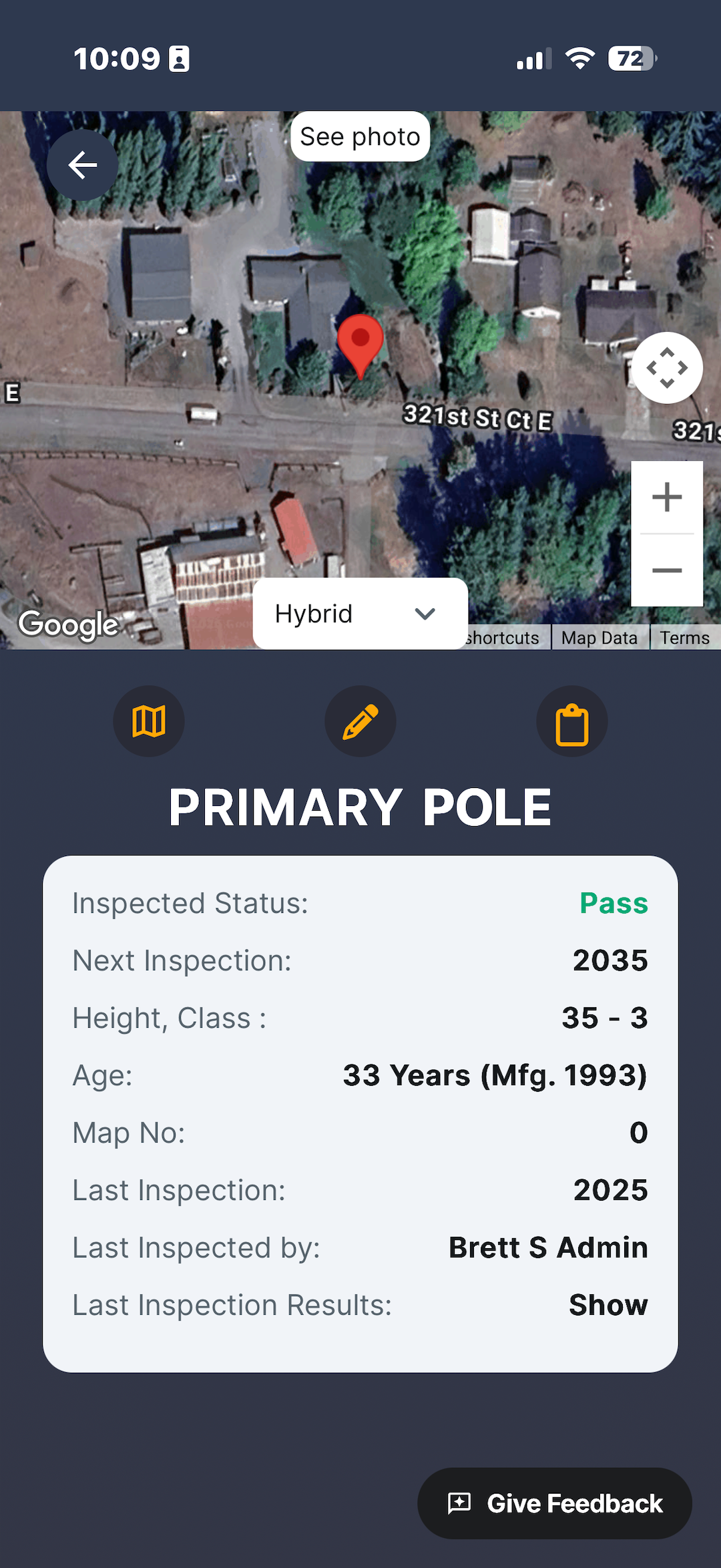
Field crews open the Speqtiv mobile app at the asset — the map shows exactly where they are relative to their pole inventory. Tap an asset to view its full history: last inspection, inspector name, condition status, height, class, and age.
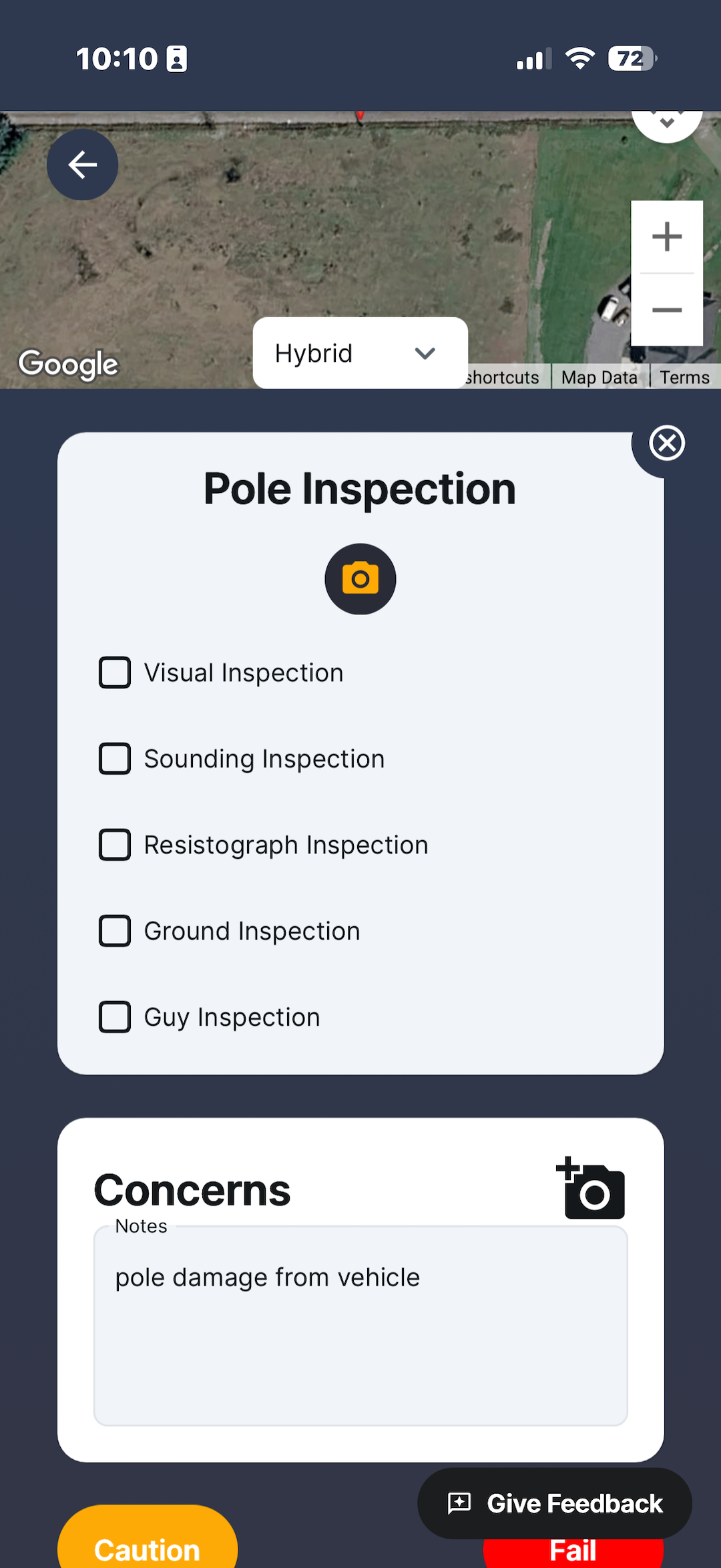
The pole inspection form walks crews through a structured checklist — visual, sounding, resistograph, ground, and guy inspections — with a photo attachment and a free-text concerns field. Mark Caution or Fail, and the issue is immediately visible to the office.
Works fully offline. All data syncs automatically when connectivity returns.
Mobile App — map view, asset detail, and inspection form on iPhone
Ready to see Speqtiv live with your own asset data?
REQUEST A DEMO